Save states for debugging
Bizmuth’s save states are a debugging tool as much as a convenience: capture the exact machine state at the moment a bug appears, then restore it to reproduce the problem on demand — no re-driving the boot, no timing luck.
Capture & restore
From the command line (all work headlessly — see Headless & automation):
| Flag | Effect |
|---|---|
--savestate <file> | after the run, write a full compressed savestate (AZST) |
--savestate-raw <file> | the same, uncompressed (raw bincode) — wins over --savestate |
--loadstate <file> | restore a savestate and continue — skips boot/navigation entirely |
--state-json <file> | write the machine state as JSON — diff-friendly for assertions |
Over ADP, the same three at any moment (paused or running):
| Command | Effect |
|---|---|
savestate <file> | write a full compressed savestate → saved <file> |
loadstate <file> | restore one → loaded <file> |
loadsnapshot <file> | load a .sna/.snx/.z80/.nex via the host loader, then pause → loaded <file>; paused pc=XXXX |
Loading a state in the windowed app holds the machine at that exact moment for interactive inspection in the debugger window.
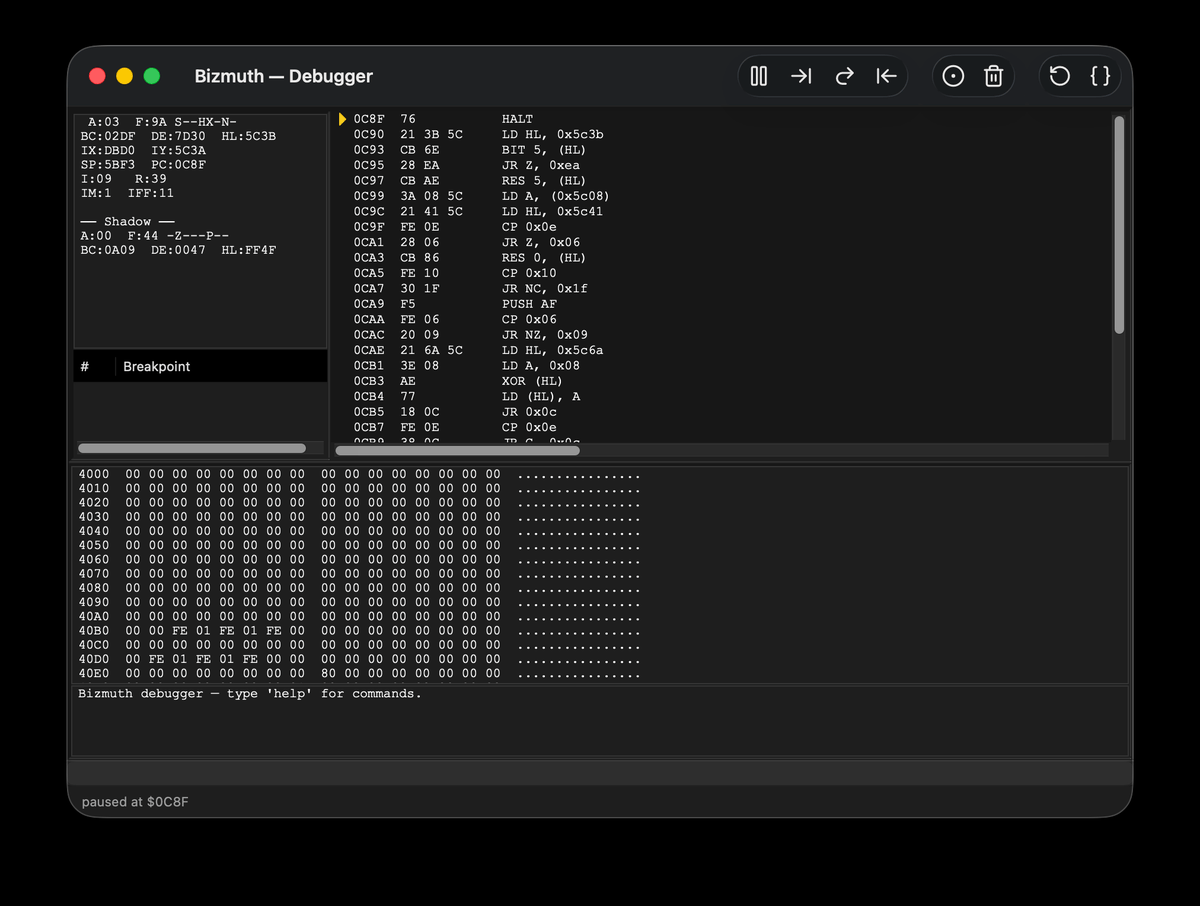
State round-trips faithfully. Two caveats worth knowing when you script against a loaded state:
- The frame counter resumes at the saved frame, so
on_framehandlers keyed off absolute frame numbers should use load-relative offsets. - Programs that read the host-backed RTC (live wall-clock) can still diverge after a load, since that clock isn’t part of the saved state.
Scripted reproduction
Because a save state fixes the machine precisely, it pairs well with Rhai scripting: load the state, then run a script to reproduce and assert on the bug — deterministically, every time.
bizmuth --machine next --loadstate bug.azst --script assert.rhai \
        --screenshot after.png --screenshot-frames 200
This is the fastest reproduction loop there is: --loadstate jumps straight to the point of interest, the script drives and inspects, and the run exits with a captured frame — no boot, no manual steps.